
Give your existing hardware a fresh start with modern POS software designed for everyday ease of use. An intuitive, responsive interface adapts to mobile phones, tablets, laptops, and compatible POS terminals, giving your team flexibility in how and where they serve customers.
Build a full-featured, connected POS network with multiple terminals working together. Bring checkout counters and mobile devices into one coordinated setup, with shared access to the products, sales, and business information your team needs.
VAERP reviews your existing hardware, identifies compatible devices, and helps configure the software and connections around your workflows. Reuse what works today and add more devices as your business grows.
Plan your POS upgrade
Start with a compatibility review, then choose a setup based on the hardware and workflows your business needs.
Hardware Compatibility Review
Discuss your setup
- Review terminal models and operating systems
- Check printer, scanner, and cash drawer connections
- Identify supported devices and replacement needs
- Review payment terminal integration requirements
Setup & Migration
Custom quote
- POS and business software configuration for retail, restaurants, manufacturing, and businesses of all types and sizes
- Connection and testing of supported devices
- Agreed product and customer data imports
- Staff training and a planned changeover
What we can assess
- POS terminals and computers: review whether your existing equipment can run the proposed setup.
- Receipt printers and cash drawers: check supported connections and checkout workflows.
- Barcode scanners: test scanning with your product catalog.
- Displays and other devices: review options based on your business workflows, from kitchen operations to manufacturing and beyond.
How the upgrade works
- Share your device models, operating systems, and current POS software.
- We review compatibility and agree on the hardware, software, and migration scope.
- We configure and test supported devices with your everyday workflows.
- Your team receives training before the planned changeover.
Explore Retail POS or Restaurant POS for industry-specific package options. For manufacturing and other industries, explore Odoo ERP & CRM, with setups tailored to businesses from small teams to large enterprises.
Add-ons

Biometric Attendance
$1,500

eCommerce Website
$3,000

Catering Software
$3,000

Printer
$350

Printer Papers

Weight Scale
$600 - $1,500

Desktop Scanner
$350
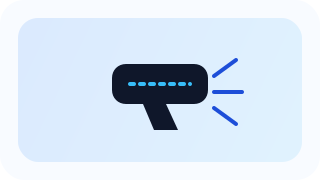
Handheld Scanner
$250
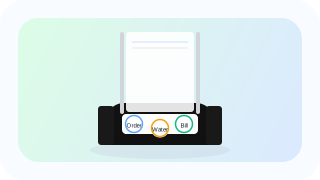
Wireless Waiter Calling Systems
$1,500

Kitchen Display Monitors
$800 - $2,000
Find out what you can reuse
Send us your hardware details and tell us what you want to improve. Contact VAERP about your existing POS